Chord library & reverse finder
A chord workspace for guitarists
Tired of playing
the same chords?
Identify the shape under your fingers, discover new chords and voicings, and turn them into progressions. Write your own songs and keep growing as a player.
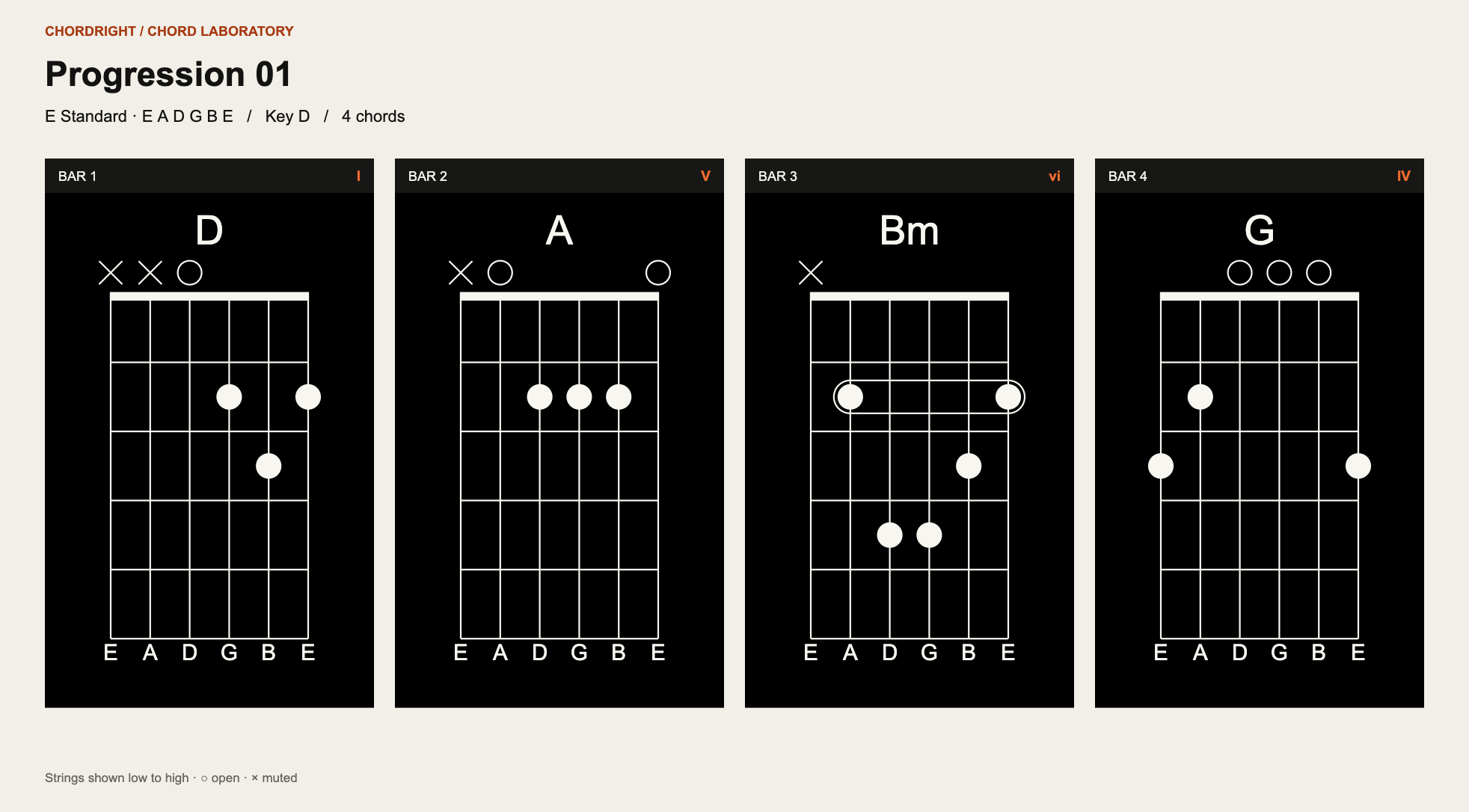
Create it. Play it. Share it.Move through voicings, export a clean reference and share it with friends so you can play and practise together.
Try this workflow Find new ways to play and build a song.
Start with a progression, a chord name or a shape you found by ear. ChordRight keeps the next useful action close.
Progressions
Turn one chord into a song.
Generate a useful starting point or choose every chord yourself, then compare playable voicings without losing the progression.
Build a progression Chord libraryFind a shape that fits your hands.
Search practical chord shapes, move through alternatives and keep the familiar voicings at the front of the catalogue.
Browse chord shapes Reverse chord finderName the chord you are holding.
Draw notes and barres on the fretboard. ChordRight identifies the shape and lets you use it immediately.
Identify a chordTwo-minute tour
See a chord shape grow into a song idea.
This short walkthrough will show you how to browse the chord library, identify a chord from its shape, and turn what you find into something you can play.
- Browse familiar and alternate voicings
- Draw a chord directly on the fretboard
- Save, export or start a progression
Built beyond E standard
Change the tuning.
Keep the song.
ChordRight supports alternate guitar tunings such as drop tunings and DADGAD. Change the tuning and the chords in your progression are transposed automatically.
Explore alternate tuningsLearn with Chris Dean
A working guitarist at the centre of the project.
As ChordRight’s head adviser, Chris brings a player’s eye to every decision: which shapes feel natural, which voicings are worth keeping and how a tool should behave when the guitar is already in your hands.
Watch Chris on YouTube MORE CHORDRIGHT LESSONS · COMING SOON
YouTube video
Enable media to play this video here.
YouTube video
Enable media to play this video here.